2.3 KiB
| title | description | keywords |
|---|---|---|
| Enable Auto-Deletion of Job Logs | Enable auto-deletion of old or unnecessary job logs for maintenance. | registry, events, log, activity stream |
BETA DISCLAIMER
This is beta content. It is not yet complete and should be considered a work in progress. This content is subject to change without notice.
Overview
Docker Trusted Registry has a global setting for auto-deletion of job logs which allows them to be removed as part of garbage collection. DTR admins can enable auto-deletion of repository events in DTR 2.6 based on specified conditions which are covered below.
Steps
-
In your browser, navigate to
https://<dtr-url>and log in with your UCP credentials. -
Select System on the left navigation pane which will display the Settings page by default.
-
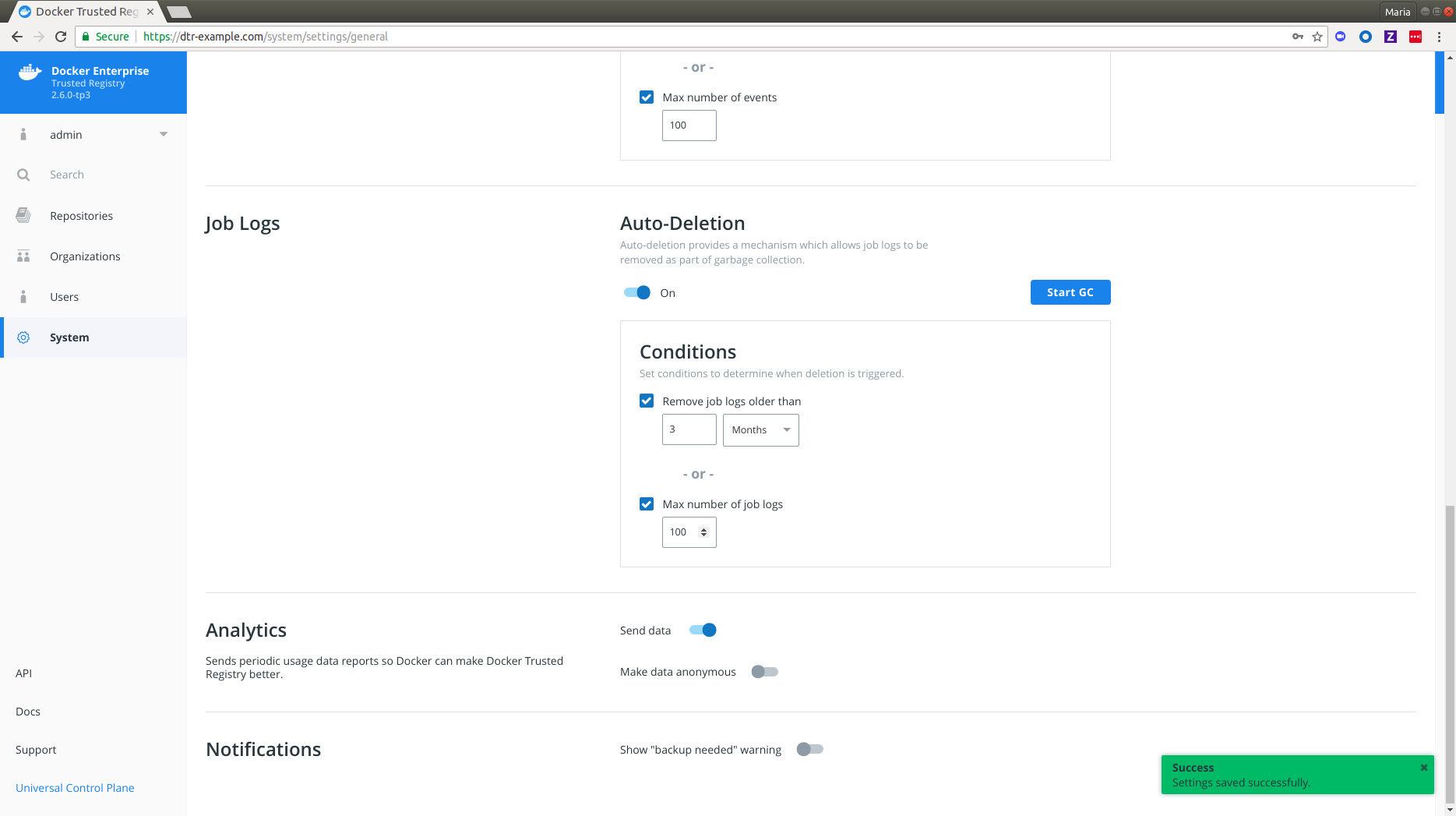
Scroll down to Job Logs and turn on Auto-Deletion.
 {: .with-border}
- Specify the conditions with which a job log auto-deletion will be triggered.
 {: .img-fluid .with-border}
DTR allows you to set your auto-deletion conditions based on the following optional job log attributes:
| Name | Description | Example |
|---|---|---|
| Age | Lets you remove job logs which are older than your specified number of hours, days, weeks or months | 2 months |
| Max number of events | Lets you specify the maximum number of job logs allowed within DTR. | 100 |
If you check and specify both, job logs will be removed from DTR during garbage collection if either condition is met. You should see a confirmation message right away.
-
Click Start GC if you're ready. Read more about garbage collection if you're unsure about this operation.
-
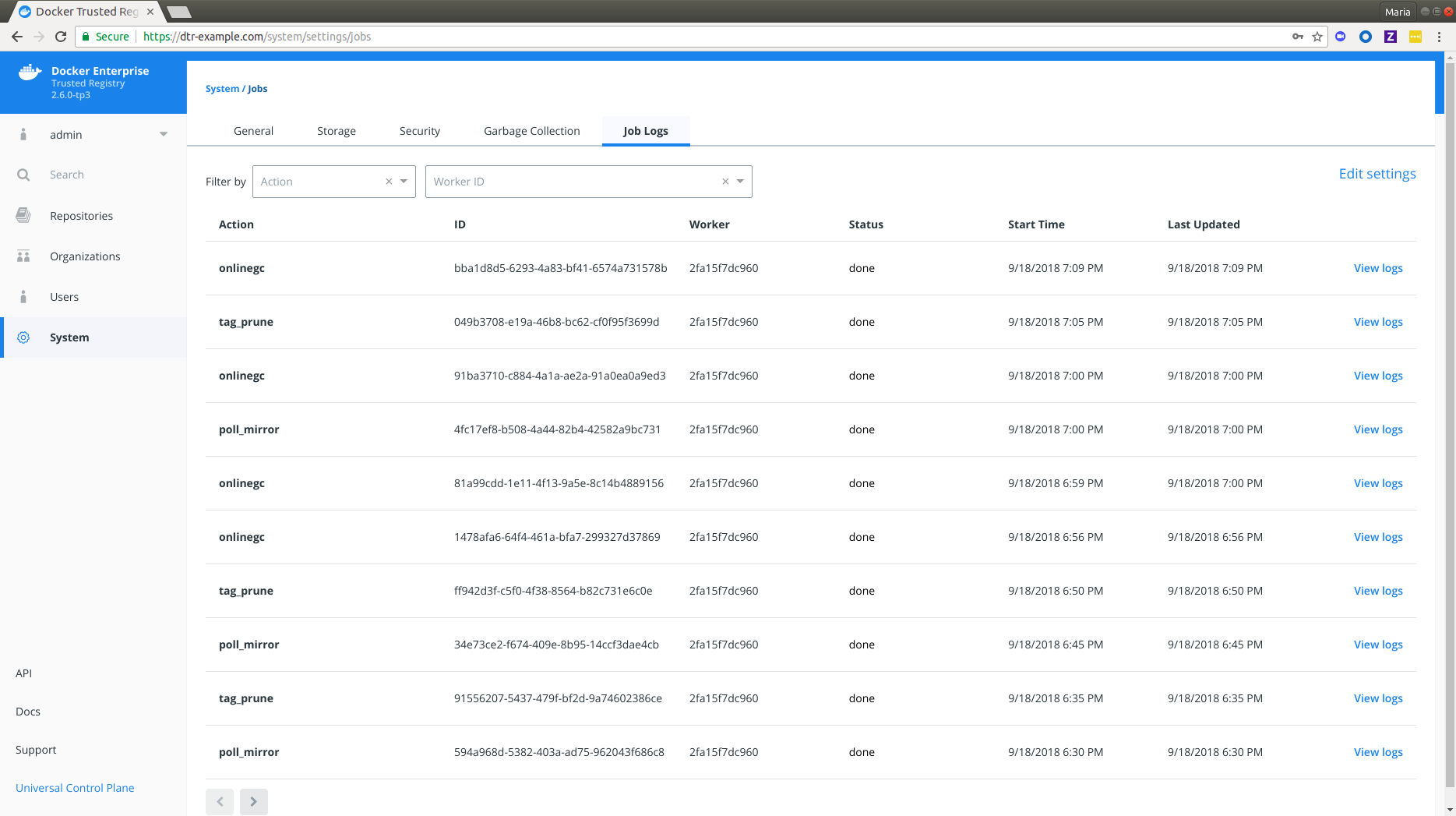
Navigate to System > Job Logs to confirm that
onlinegchas happened. For a detailed breakdown of individual job logs, see View Job Logs.
 {: .img-fluid .with-border}