2.5 KiB
| title | description | keywords | |
|---|---|---|---|
| Scale your cluster | Learn how to scale Docker Universal Control Plane cluster, by adding and removing nodes. |
|
Docker UCP is designed for scaling horizontally as your applications grow in size and usage. You can add or remove nodes from the UCP cluster to make it scale to your needs.
UCP leverages the Docker Engine functionality to run multiple Docker Engines in swarm mode. When you join a node to your cluster, you can join the node as a manager or worker:
-
Manager node
Manager nodes are responsible for cluster management functionality and dispatching tasks to worker nodes. Having multiple manager nodes allows your cluster to be highly-available and tolerate node failures. It also allows you to load-balance user requests to the cluster. Learn more about high-availability.
-
Worker nodes
Worker nodes receive and execute tasks dispatched to them. Having multiple worker nodes allows you to scale the computing capacity of your cluster.
Join nodes to the cluster
To add join nodes to the cluster, go to the UCP web UI, navigate to the Resources page, and go to the Nodes section.
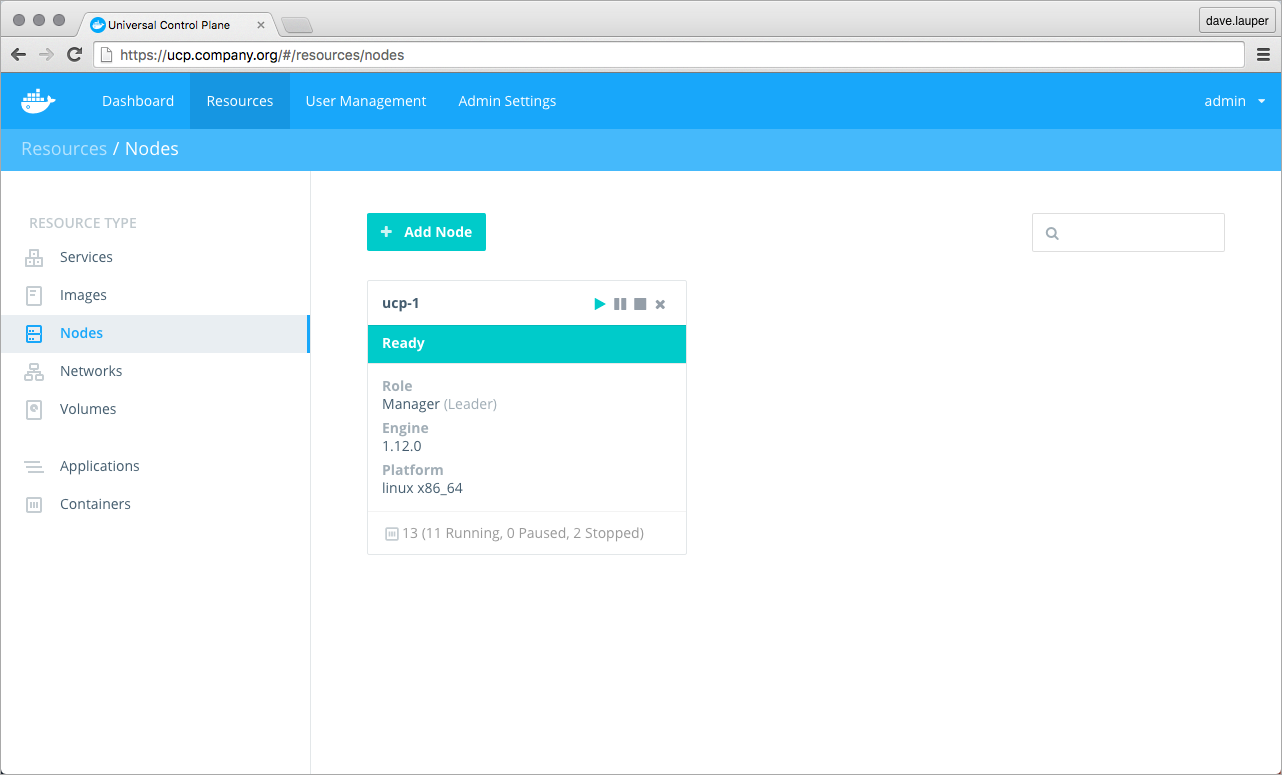
Click the Add Node button to add a new node.
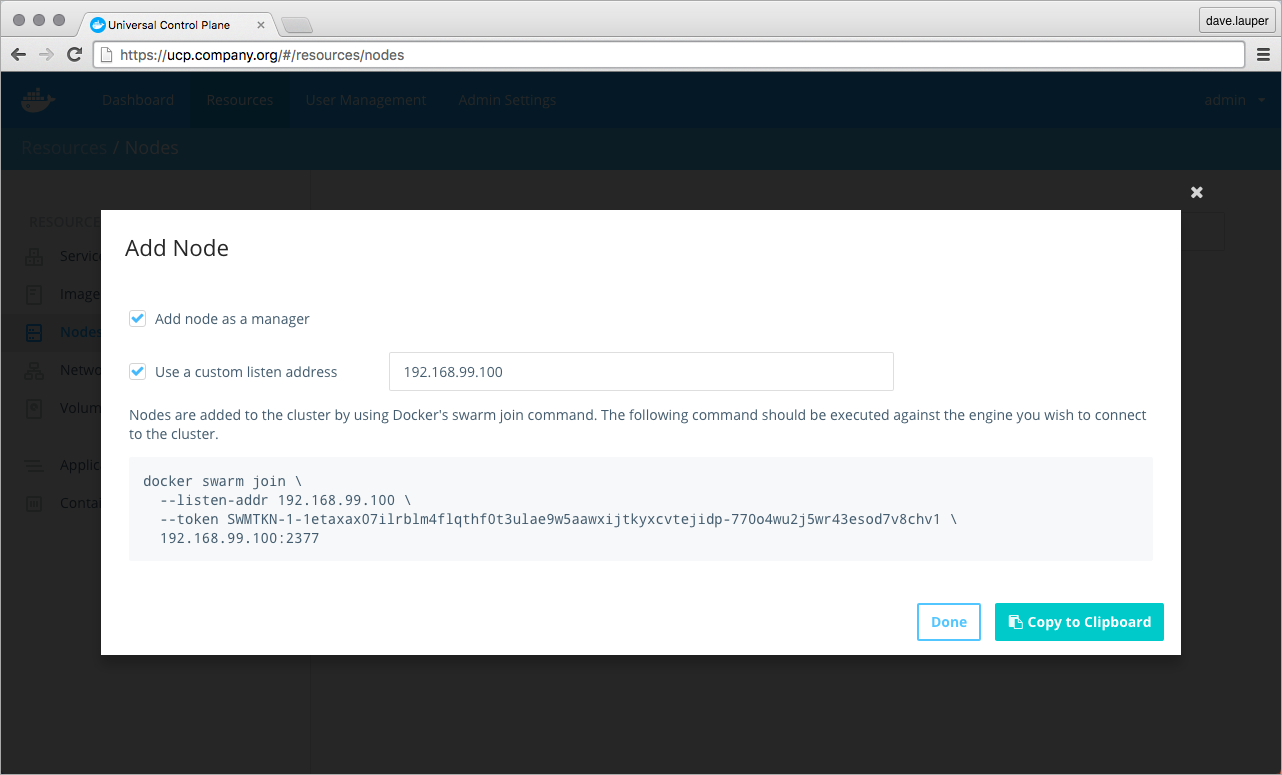
Check the 'Add node as a manager' option if you want to add the node as manager. Also, set the 'Use a custom listen address' option to specify the IP of the host that you'll be joining to the cluster.
Then you can copy the command displayed, use ssh to log into the host that you want to join to the cluster, and run the command on that host.
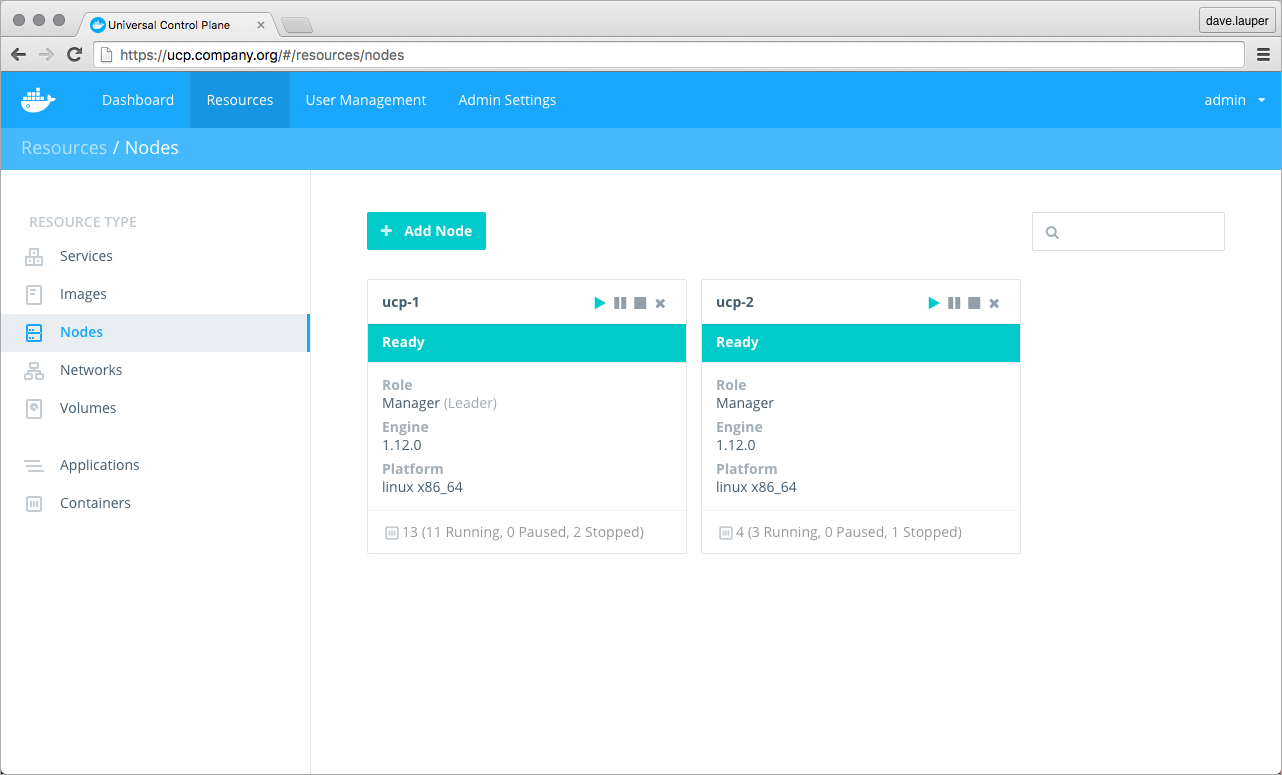
After you run the join command in the node, the node starts being displayed in UCP.
Pause, drain, and remove nodes
Once a node is part of the cluster you can change its role making a manager node into a worker and vice versa. You can also configure the node availability so that it is:
- Active: the node can receive and execute tasks.
- Paused: the node continues running existing tasks, but doesn't receive new ones.
- Drained: the node won't receive new tasks. Existing tasks are stopped and replica tasks are launched in active nodes.
If you're load-balancing user requests to UCP across multiple manager nodes, when demoting those nodes into workers, don't forget to remove them from your load-balancing pool.