4.9 KiB
| title |
|---|
| Provision a Database and Import a SQL File for initialization |
This tutorial will talk about how to provision a relational database with SQL file imported, and bootstrap an application which depends on the database.
Favorite Links is an interesting project which can store all
your favorite web links in one application. It is using Node.js and MySQL. It has been built into a container image
oamdev/nodejs-mysql-links:v0.0.1. Let's bootstrap the application and see how to provision a database, and import a SQL
file (which means to create tables, and insert data into them if needed).
Currently, it only works on Alibaba Cloud ComponentDefinition alibaba-rds-preview is the feature preview for Alibaba Cloud RDS, and will be merged into alibaba-rds later.
How it works
Feel free to skip this section if you are not interested.
Alibaba Cloud RDS Preview supports importing SQL file when create an RDS instance with these properties:
| Name | Description | Type | Required | Default |
|---|---|---|---|---|
| sql_file | The name of SQL file in the bucket, like db.sql |
string | false | |
| sql_bucket_name | The bucket name of the SQL file. like oss://example |
string | false | |
| sql_bucket_endpoint | The endpoint of the bucket. like oss-cn-hangzhou.aliyuncs.com |
string | false |
After an RDS database is created, the SQL file from OSS bucket will be imported into the database by the power of Terraform
local-exec provisioner
which is referenced by Alibaba Cloud RDS Preview ComponentDefinition.
Prerequisites
-
Enable addon terraform-alibaba
-
Remember to store the SQL file in an Alibaba Cloud OSS bucket
Let's say we have an OSS bucket oss://favorite-links which contains a SQL file db.sql in it, and the bucket endpoint
is oss-cn-hongkong.aliyuncs.com.
Provision cloud resources
Use the following Application to provision a database links, import the SQL file db.sql, and bootstrap the application
Favorite Links.
apiVersion: core.oam.dev/v1beta1
kind: Application
metadata:
  name: favorite-links
spec:
  components:
    - name: web
      type: webservice
      properties:
        image: oamdev/nodejs-mysql-links:v0.0.1
        port: 4000
      traits:
        - type: service-binding
          properties:
            envMappings:
              DATABASE_HOST:
                secret: db-conn
                key: DB_PUBLIC_HOST
              DATABASE_NAME:
                secret: db-conn
                key: DATABASE_NAME
              DATABASE_USER:
                secret: db-conn
                key: DB_USER
              DATABASE_PASSWORD:
                secret: db-conn
                key: DB_PASSWORD

    - name: db
      type: alibaba-rds
      properties:
        instance_name: favorite-links
        database_name: links
        account_name: oamtest
        password: U34rfwefwefffaked
        security_ips: [ "0.0.0.0/0" ]
        privilege: ReadWrite
        sql_file: db.sql
        sql_bucket_endpoint: oss-cn-hongkong.aliyuncs.com
        sql_bucket_name: oss://favorite-links
        writeConnectionSecretToRef:
          name: db-conn
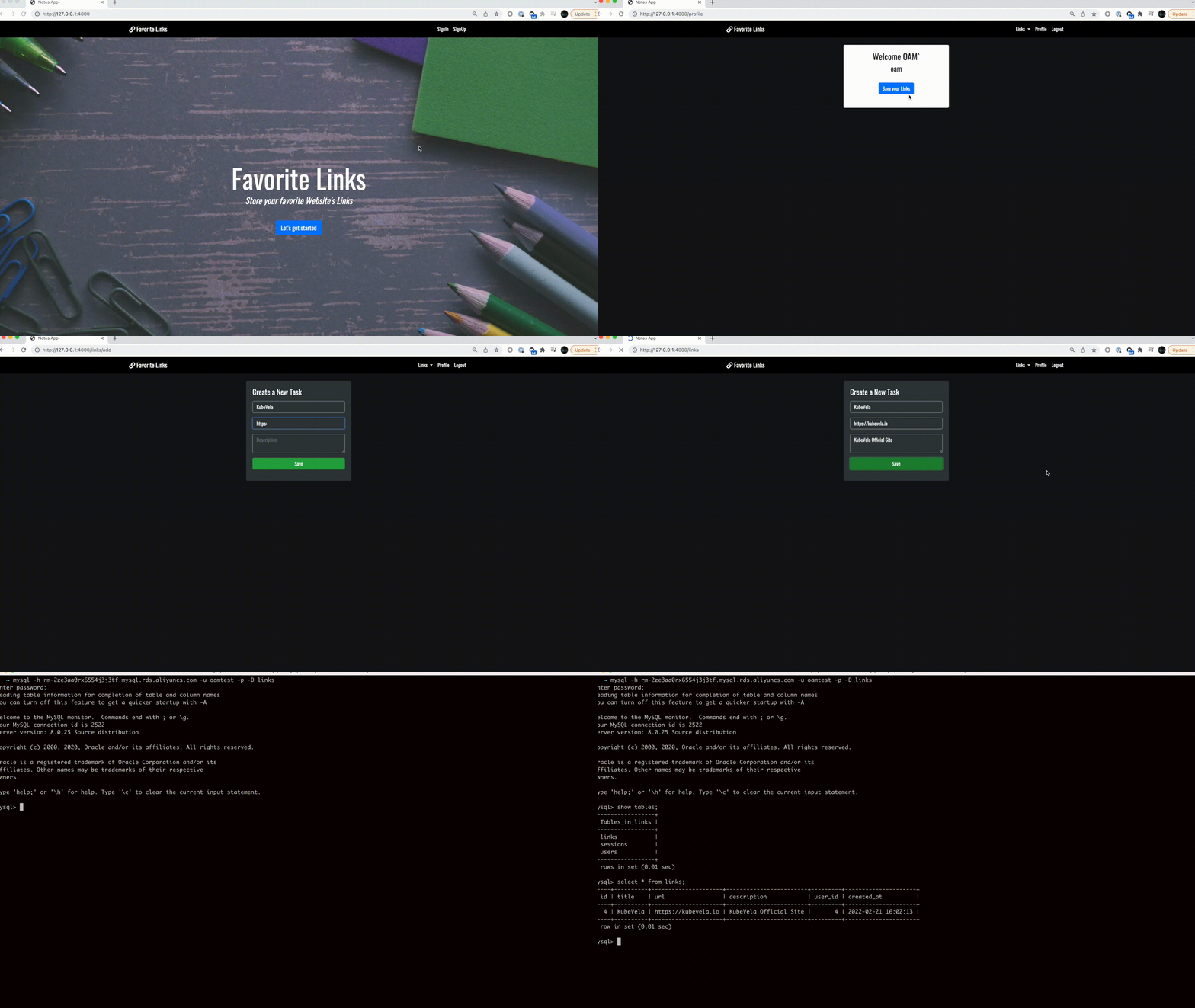
After the application is successfully deployed, you can access the web application by the following URL:
$ vela ls
APP           	COMPONENT	TYPE               	TRAITS         	PHASE  	HEALTHY	STATUS                                       	CREATED-TIME
favorite-links	web      	webservice         	service-binding	running	healthy	Ready:1/1                                    	2022-02-21 14:15:45 +0800 CST
└─            	db       	alibaba-rds-preview	               	running	healthy	Cloud resources are deployed and ready to use	2022-02-21 14:15:45 +0800 CST
$ vela port-forward favorite-links 4000:4000
Forwarding from 127.0.0.1:4000 -> 4000
Forwarding from [::1]:4000 -> 4000

Forward successfully! Opening browser ...
Handling connection for 4000
Handling connection for 4000